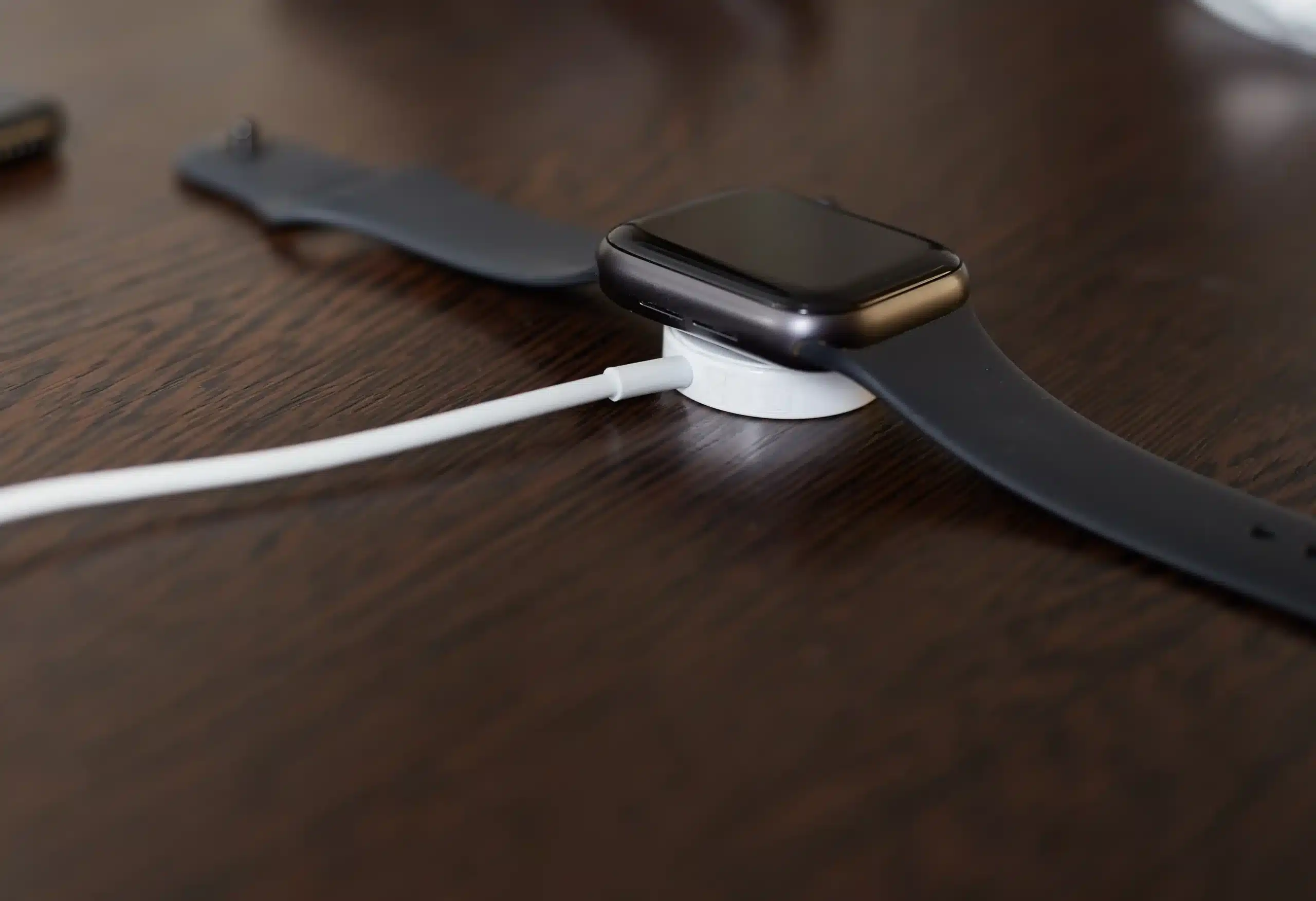
Apple Watch charging issues appear when the watch stops responding to the charger. These problems can come from a loose connection, a dirty charging surface, a faulty cable, or a small software glitch. This guide explains how to identify an Apple Watch charging issue, what causes it, and practical steps you can take to fix it.
How to Know If Your Apple Watch Has a Charging Issue
Charging problems show up when the watch is no longer receiving power as it should. These signs help you to check whether the watch is receiving power.
- The battery does not increase even when the watch is connected to the charger.
- A red charging symbol or a no charging symbol appears on the screen.
- The watch heats up while placed on the charger.
- The watch charges very slowly.
- The charging process starts and stops on its own.
Common Causes of Apple Watch Charging Issues
Apple Watch charging problems often come from technical errors. These causes affect how the watch connects to the charger and how the battery gets charged.
Dirty Charging Surface
When the charging surface gets dirty due to dust and lotion buildup, it can weaken the magnetic hold of the surface of charger. This can block the power from transferring from the charger to the watch.
Faulty Charger
A damaged charger fails to send stable power to the watch. Small breaks in the cord, loose internal parts, or heat damage interrupt the flow of electricity. This leads to slow or inconsistent charging.
Outdated WatchOS
Older software can interfere with how the watch connects to the charging signals. Bugs in the system can interfere with battery detection and power flow. This creates random charging interruptions.
Misaligned Charger Placement
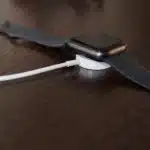
The watch needs to sit in the right spot on the magnetic charger. Even a small shift can move the watch away from the charging area. This causes the charging to stop or fail to start.
Faulty Power Cords or Source
A weak adapter or a damaged power cord is unable to deliver stable electricity. Some ports do not provide enough power to the watch, leading to slow or inefficient charging.
Battery Health Issues
The battery loses strength after prolonged use. It may hold less power or take longer to charge. In some cases, the battery develops faults that affect how the watch responds to the charger.
How to Fix Apple Watch Charging Issues
These steps help you address the common problems that stop the watch from charging. Each fix targets a different cause and helps you figure out what is affecting the connection or the power flow.
Clean Charger & Watch
Start with the surfaces, as dust sits on the charger and on the back of the watch. A quick wipe with a cloth cleans most of the dust and dirt from the surface. Then try placing the watch on the back of the charger and check the screen.
Check Charging Cable & Adapter Connections
Check the cable for loose spots or bends. Plug the adapter into a different outlet and see if the charger responds. Try another adapter if the current one is inconsistent. Small issues in the cable or adaptor often break the charging line.
Check Battery Health
To check the battery health, open the Battery section on the watch and read the Maximum Capacity percentage. A low number means that the battery has worn down. Older batteries take longer to charge and drain faster during use. If the number is low, the watch struggles to charge in a steady way.
Reposition the Charger & Ensure it Aligns Properly
Place the watch on the charger and watch for the charging symbol to appear. Move the watch slightly until the magnet locks in. A small shaft can bring the watch into the active charging spot. Some users notice the connection only stabilises when the watch sits flat.
Force Restart Your Watch
Use the side button and Digital Crown on the Apple Watch to restart. The screen will turn off and come back on. This clears small internal software issues. Some users see the charger respond better after a restart.
Check for Updates
Open the Software Update section in the Watch app. Install the new update if it appears. Newer versions often correct charging errors that appear in older builds by replacing older code that can interrupt charging. Updated software stabilizes the power reading.
Test With A Different Charger & Adapter
Try another charger to check if there is an issue with the charger. A working charger reacts as soon as the watch touches the surface. Swapping the adapter also helps confirm whether the outlet delivers steady power. Many charging issues come from the charger rather than the watch.
Should I Contact A Professional?
Some charging issues continue even after cleaning the surface, resetting the watch, and trying all the possible solutions mentioned. If the watch is still not charging, there might be an issue with the battery, charging coil, or a component that needs to be inspected by a professional. If your warranty has expired, you can bring the watch for a professional repair at Cell Phone Hospital for a direct evaluation. Get in touch with us and call (918) 949-4400 for a free consultation.
Summary
Apple Watch Charging issues are caused due to problems in the charger, the cable, the power source, or the software. Checking these areas one by one helps you figure out the cause. Many problems clear up after simply cleaning the surface, updating software, or checking with a different adapter. If the watch is still not charging, a repair service can check the internal component and guide you to the right fix.
Frequently Asked Questions (FAQs)
A failing battery drains faster even during normal use. The watch may also take longer to charge or stop reacting to the charger and might have sudden drops in battery percentage.
Most Apple Watch models work well for several years before showing any signs of battery drainage. The extended lifespan depends on daily use and charging habits. Battery capacity slowly decreases with time.
If the watch shuts down quite often, even when it has enough charge, it may need replacement. Repeated charging problems and slow performance also point to outdated software or aging hardware. A technician can confirm the need for replacement during a check.
Apple Watch models stop taking charge after the battery reaches full charge. Many users leave the charger overnight without any issues. Heat buildup is rare, but you can check the temperature of the watch in the morning to make sure everything is up to par.