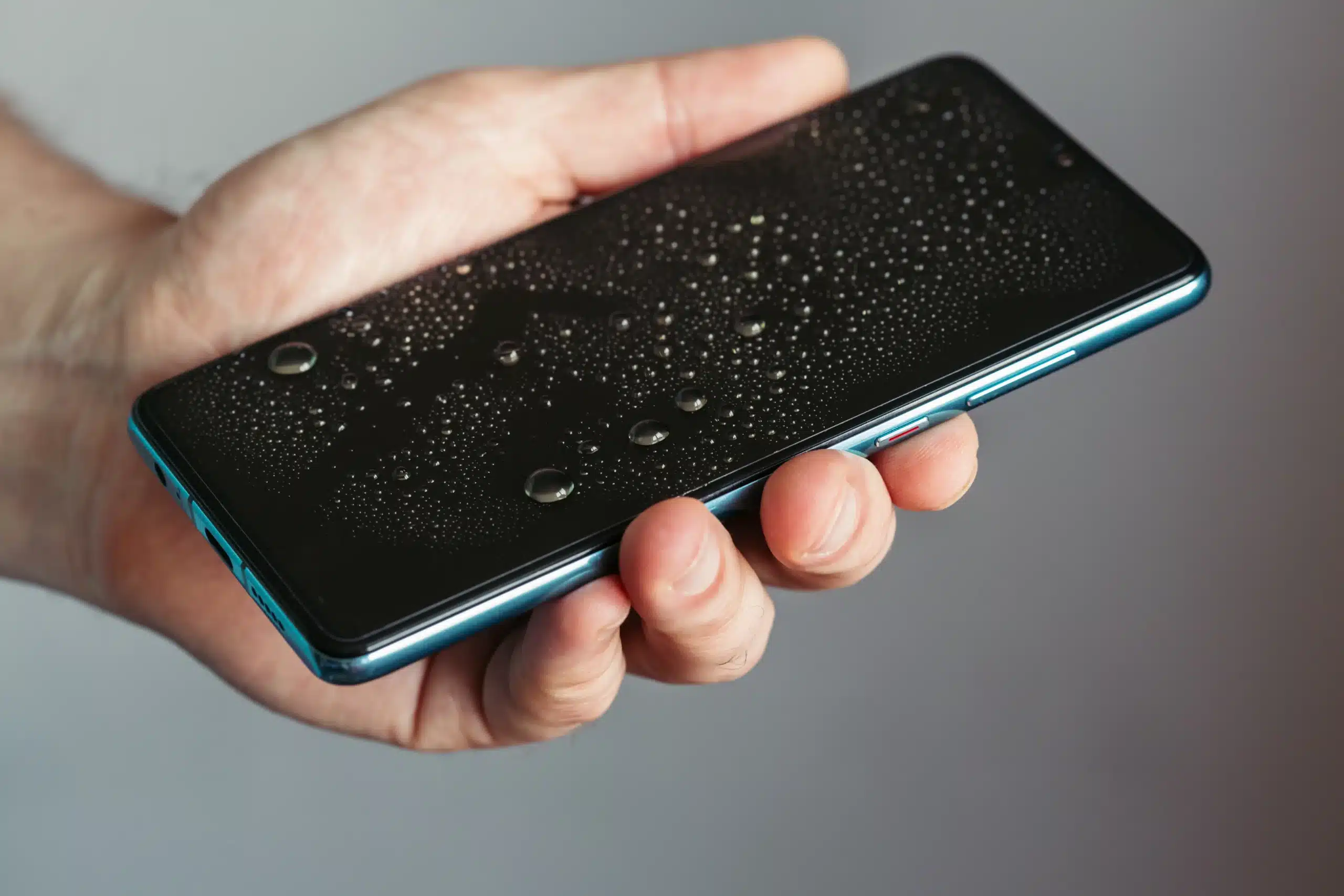
Buying a phone is a costly yet fragile investment. Despite all the protection, it’s vulnerable to all kinds of damage, especially if you often drop the phone. However, water damage is a different matter entirely. Whether you spill a drink or drop your phone in water, immediate revival is the key to preventing irreversible water damage. Cell phone repair after water damage is entirely possible; it’s all about avoiding mistakes and taking preventive measures to protect your valuable phone from permanent damage.
What Does Water Damage Do to Your Phone?
When a phone is exposed to water, it can seep in through the ports and damage the internal components. In most cases, the screen, power button, charging port, and battery can all be easily affected by this moisture. Extensive water inside the phone can cause serious damage; when moisture is trapped for too long, it corrodes metal components, damages storage chips and the motherboard, and can even cause a short-circuit, rendering your phone irreparable over time.
Can a Water-Damaged Phone Be Repaired?
In most cases, a water-damaged phone can be repaired. Taking immediate steps, such as removing the phone from the liquid, turning it off, and removing the casing, SIM card, and battery, can help drain the moisture and prevent further damage. This quick, cost-effective repair is possible as long as there is no short-circuit or damage to the motherboard or other critical components.
Factors That Determine Success Rate
Not all water damage is fatal to your phone. Some minor intrusions can be fixed at home, while severe damage might require professional help. It all depends on the exact type of damage and how long the phone was exposed to the water.
Type of Liquid
The type of liquid determines the repair method and its effectiveness. Freshwater is easiest to repair with immediate cleaning and drying, while saltwater leaves mineral deposits and corrodes components, causing permanent damage that is difficult to repair. Sugary, or sticky liquids, such as juice, soda, or coffee, require professional cleaning to prevent corrosion and sticky buttons.
Exposure Time
The duration of exposure determines the extent of damage and the success of a permanent fix. Minor exposure (a few minutes) can be easily fixed by immediately cleaning and drying the area. Moderate exposure (minutes to hours) can damage internal components, which often leads to the battery, screen, or buttons needing replacement. Long-term exposure (days) may cause extensive corrosion, rust, or short-circuit the motherboard, leading to irreparable damage.
Phone Model
Newer phone models are more water-resistant as they use stronger adhesives for sealing. These limit the amount of water entering the phone and reduce the extent of damage. That’s why professionals use specialized tools to remove the sealant, repair the phone, and re-seal the device to keep it protected in the future.
Response Time
Quick intervention plays a critical role in the repair success. If possible, immediately turn off the phone and take it for repair. This significantly reduces the chance of severe damage. If left exposed to moisture for days at a time, you’ll likely deal with extensive corrosion that hampers repair.
What to Do Immediately After Water Damage
The minutes right after the exposure play an important role in the phone’s lifespan. Every choice you make can minimize damage and help with repairs, while any wrong move or delay can jeopardize the phone’s health. To limit the extent of the damage, stay calm and work through these steps.
Power Off the Phone
After taking the phone out of water, switch it off immediately. Do turn it on; moisture can short-circuit the motherboard, and turning on the phone can cause permanent damage. Powering off the phone can prevent further damage to internal components.
Remove the SIM Card
Carefully remove the SIM card tray to let air inside. Proper air circulation dries out trapped moisture and prevents disturbance to the internal components.
Dry the Exterior
Use a lint-free, soft cloth or paper towel to dry the exterior. Dab gently and don’t press too hard, as that can push liquid into more sensitive parts. This helps absorb more moisture from the openings.
Keep the Phone in a Dry, Ventilated Area
Keep the phone upright to let the water out through the ports. Keep it in a dry, well-ventilated area for 48 hours before switching it on; if possible, you can use a fan to speed up this process and help the moisture evaporate.
Remove Components
Remove the casing, battery, and storage card if possible. This small step prevents moisture from accumulating in the crevices and damaging internal components over time.
Common Mistakes That Cause Further Damage
The first reaction after dropping your phone in water is panic. But panicking can lead to incorrect steps that cause further damage to your phone. Stay calm, keep a level head, and avoid some of the most common mistakes after a phone is damaged.
Do Not Charge or Turn On the Phone
Most people are tempted to turn on their phone and check whether it’s still working after being exposed to water. In case of extensive moisture intrusion, electric current flowing through a wet circuit board can permanently damage the phone. Keeping your phone off is essential; show restraint, and find a local cell phone repair professional near you.
Do Not Put the Phone in Rice
One of the most common trends is to keep the phone in rice overnight to drain out moisture. While rice may absorb some moisture, it can leave dust and starch in the ports, creating other performance issues.
Do Not Use Heat to Dry the Phone
Another common misconception is that heating the phone can help it dry. Most people leave the phone in the sun, use a hair dryer, or keep it in the oven to dry. Such heat sources don’t remove moisture from the phone, but they do warp the screen, melt delicate seals, and permanently damage internal components.
Do Not Shake
The final mistake is shaking the phone, hoping to get the moisture out through the ports. Instead of removing water, it spreads the water to critical components such as the motherboard or storage unit. That can create severe damage that is difficult to repair.
Drying Techniques
To properly dry a water-damaged phone at home, make sure that you:
- Switch off the phone immediately and keep it upright to drain water from the openings.
- Keep the phone in a bag of silica gel packets for 24-48 hours to help absorb all trapped moisture.
- Try to open the back and separate the battery, SIM, and SD card from the phone.
- Keep the phone in a dry, ventilated space with a fan to quickly evaporate the moisture.
Costs to Repair a Water-Damaged Phone
Repairing a water-damaged phone is possible, but the price varies depending on the damage and your specific phone. In general, the cost ranges between $100-500, with more serious damage increasing this fee. Severe water intrusion can damage the motherboard, costing up to $500 or more. In such cases, replacing the phone is a better option than repairing.
Professional vs. DIY Repair of Water-Damage Phones
DIY repairs are quick and cost-effective for minor water damage, but they aren’t always the right choice. Professionals have the expertise and specialized tools, such as ultrasonic cleaners, to deep clean and remove corrosion from all internal components. While DIY repairs are suitable for minor spills, professional repairs offer a higher success rate, extend your phone’s lifespan, and provide peace of mind. While they can sometimes be costly, these services can restore the phone or at least retrieve phone data, saving you money in the long term.
Preventing Future Water Damage
Long-term water exposure can damage any phone, even those that claim to be water-resistant. The best way to protect a phone is to keep it away from water. You’ll want to:
- Use high-quality protective cases with port covers to ensure complete protection.
- Avoid taking your phone to the beach, pool, or bathroom, as even steam can damage the phone.
- Make sure to use a waterproof case or pouch while using your phone near water or in the rain.
- For waterproof phones, check the IP rating and protect them accordingly.
- Make sure to get a phone insurance or protection plan that covers water damage. It helps reduce repair costs in case of extensive damage.
Get Reliable Water-Damaged Phone Repair at Cell Phone Hospital
Expert phone repair services can enhance your phone’s health and durability. Professional teams like ours can use their experience and high-quality repair tools to remove moisture and corrosion caused by water. If you’re dealing with water damage or any other type of phone-related problems, reach out to our team at Cell Phone Hospital. We’re ready to help, so give us a call today.
Summary
Whether it is a minor spill or a major drop in the pool, water damage to your phone can be traumatic. Staying patient and calm is key to limiting the damage and restoring your phone’s functionality. Act swiftly, turn off the phone, and give the phone’s sensitive components time to dry out. Taking preventive measures and seeking professional help will help you protect your valuable phone.
Frequently Asked Questions (FAQs)
Yes, different types of liquids affect your phone differently. Freshwater is easy to clean and dry, while saltwater leaves residue and causes corrosion. Juice, coffee, and sodas can leave sticky residue, corrode materials, and damage buttons.
No, a hairdryer cannot remove water from a sealed-off phone. High heat can warp the screen and melt the seals, causing further damage to the phone.
Data recovery depends on the location of water damage. If the storage unit (internal memory chip) is intact, it might be possible to recover data even when the rest of the phone is not working.
Yes, water damage generally voids the phone warranty.
Yes, moisture can stay hidden inside cracks and crevices within the phone. It can cause gradual corrosion, rust, and even a short circuit over time.
Minor issues can be fixed at home within 24-48 hours. Professional repair services complete cleaning, corrosion removal, and battery and screen replacement within the same day or within 48 hours. However, major damage to the motherboard or critical components can take a few days for repair.
Yes, saltwater leaves mineral deposits and causes rapid corrosion that is more difficult to repair than damage from freshwater.
Water damage is only covered by additional comprehensive insurance, such as AppleCare+, that covers accidental damage at a fee.
Yes, high-quality waterproof cases shield against water spills and accidents. They add an additional layer of protection, reducing damage to the internal components.